How to export Asana projects manually
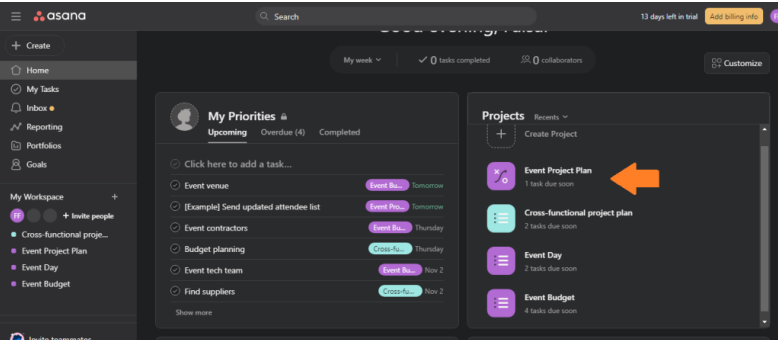
First, select the Asana project you want to export. You can either select
one from the main hub.
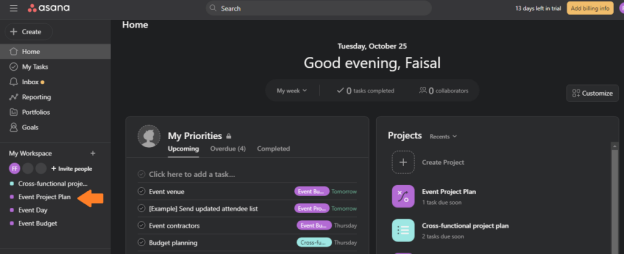
Or by clicking on the project title from the sidebar on the left. In this
example, I’m selecting the project titled “Event Project Plan
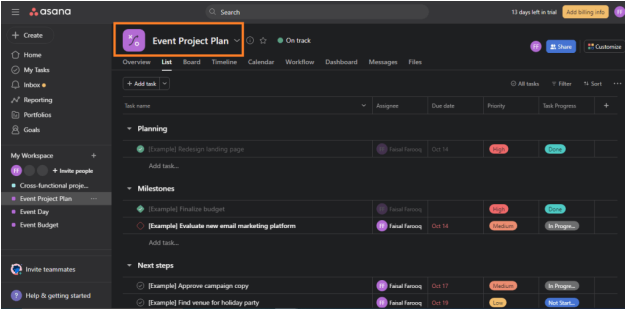
After your project tab loads up, click on the dropdown arrow next to the title of the project.
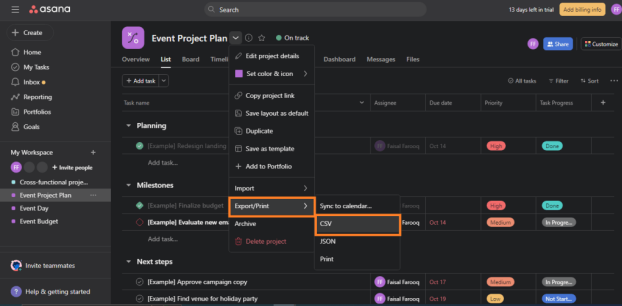
Then, hover your mouse on the “export/print” in the dropdown menu. And select CSV from the additional options.
Afterwards, the CSV file with the selected project’s data will be downloaded to your device. You can use it with any spreadsheet tool and apply a broad variety of analyses and visualizations to the data.
Here is an example of what it will look like.
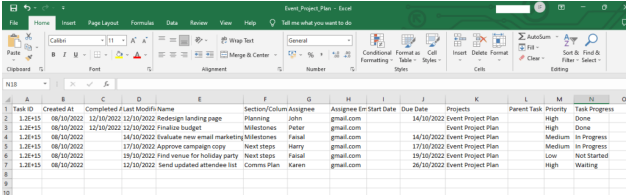
As you can see, the exported data contains project tasks with all the important details, such as task progress, due date, priority, assignee.
Was this article helpful?
That’s Great!
Thank you for your feedback
Sorry! We couldn't be helpful
Thank you for your feedback
Feedback sent
We appreciate your effort and will try to fix the article